To change another licensed user’s password, go to ‘My Company Details’ and select the ‘Users’ tab. Select the appropriate user.
To change a client’s login password, go to ‘Client Administration’, select the appropriate client, and then select the ‘Users’ tab. Select the appropriate user.
Click the ‘Reset Password’ button at the bottom of the page. A popup box will open.
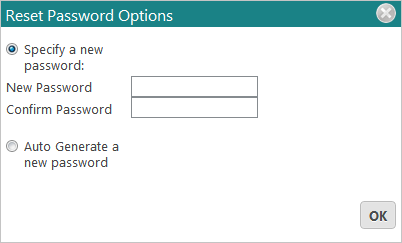
Either input a new password or auto generate a new password. Press ‘OK’.
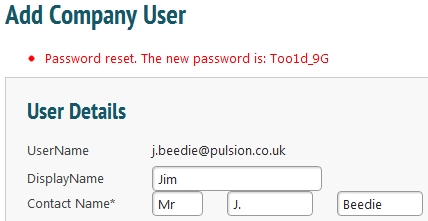
If you have chosen to auto generate a new password, this will now be displayed in red at the top of the screen.