
‘Overhead Categories’ allows you to create a reason that time may be blocked off in the resource planner. In the example below, engineers may have time blocked off if they are on holiday or if they are at the dentist.

To edit a category, click the edit icon:  To delete, click the delete icon:
To add a new category, click the ‘Add Category’ button. This will bring up a popup box.
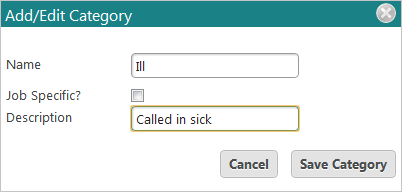
Name your category and give it a description. Press ‘Save Category’ to save it or ‘Cancel’ to discard changes.
When you go into the Resource Planner you can now add occupied time to an engineer’s diary. Right click on the appropriate engineer’s time slot and select ‘Add Occupied Time’.
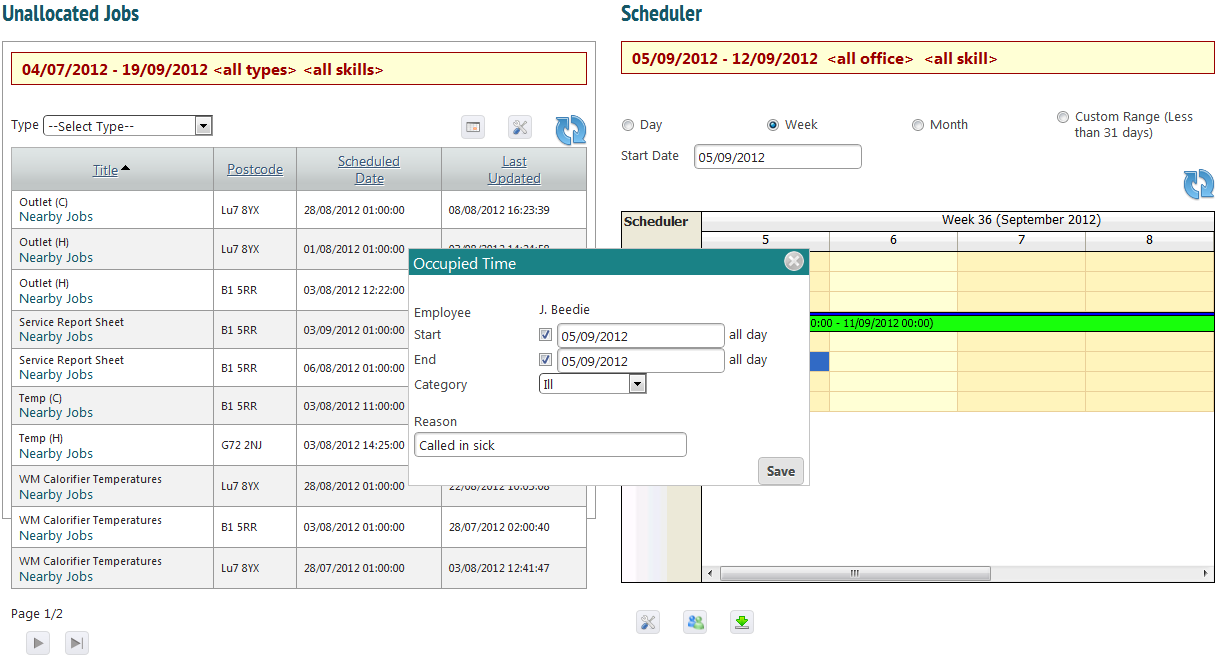
Choose a start and end time, or tick the checkbox to block off a whole day (or whole days between two dates). Select a category and enter a reason; this is to allow for more detail.