

Your company will have at least one office, listed on the ‘Offices’ page from the ‘Administration’ dropdown menu. To add another (such as an office located in another city), press ‘Add’ at the bottom of the page.
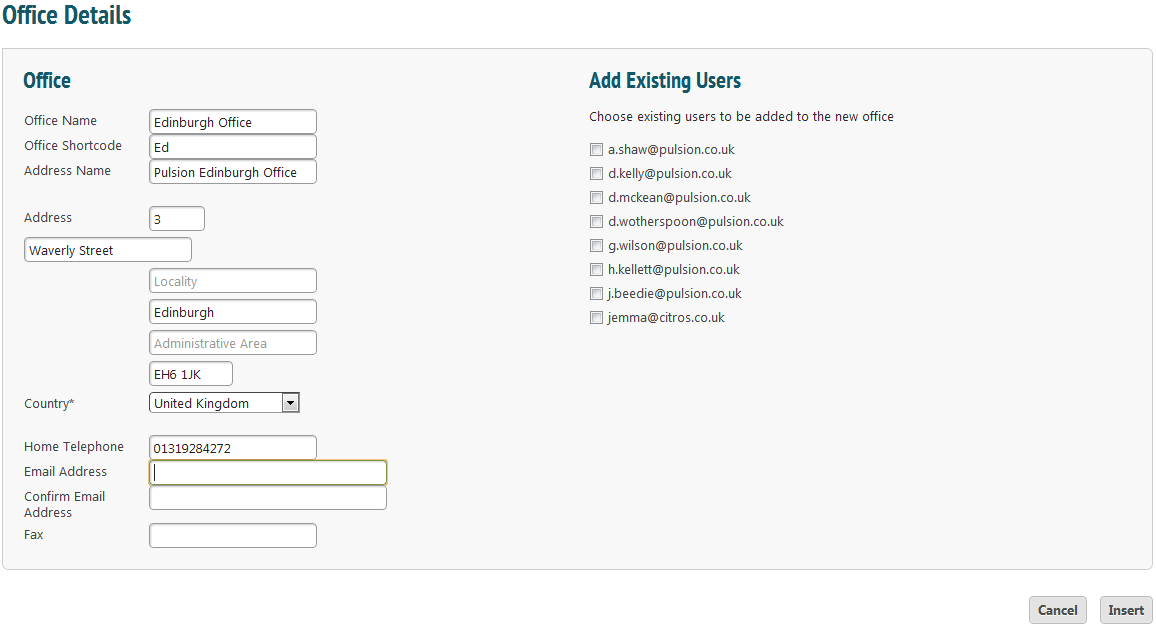
Enter details about the office. A list of your users (both office and mobile) will appear on the right hand side. Select the box next to a name to associate that worker with the new office.
Remember to press ‘Insert’ when done. Information can be edited from the ‘Administer Offices’ page.