
The file explorer will look familiar. There are nested folders on the left hand side and a viewing window on the right. These folders are for storing any documents completed outside of Konformance (or indeed, any created within Konformance) for ease of access. Training certificates, previous risk assessments, client information and so on can be stored here- in fact, anything you may need.
To upload a file, either press the ‘Upload’ button:  or right click on the viewing window and select ‘Upload’. This window will open:
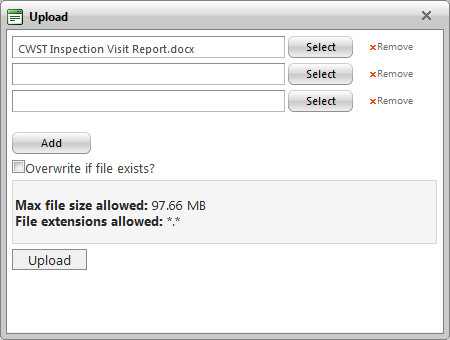
You may upload as many files as needed at once, though the more you select the longer they will take. To select a file from your computer, click ‘Select’. To add more files, click ‘Add’. When you have finished selecting files, click ‘Upload’ and the files will be uploaded to the File Explorer.
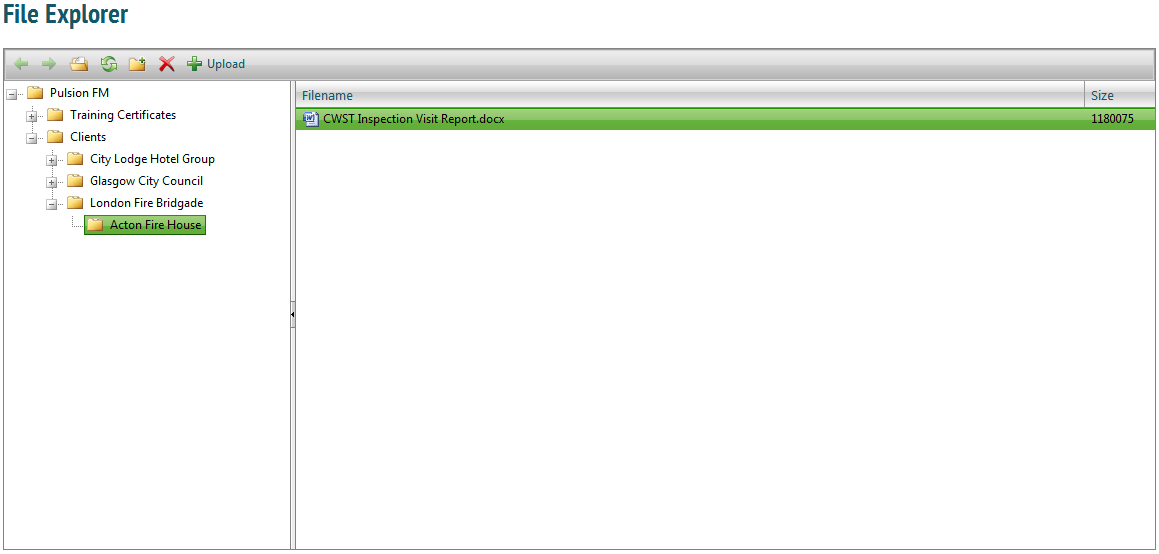
If you have given clients permission to see the file explorer, they may also add or open documents from here.